dsh-memory-recall
A DeepSeek Harness plugin that gives the model a memory, in the style of Hermes Agent: what it learns about you and your projects carries into every new chat, and it can look back through your earlier chats — only after you allow it.
Everything stays on your machine. Two small text files, dsh’s own session index, no embeddings, no service, no telemetry.






Install
dsh plugin --profile web add dsh-memory-recall
dsh --profile web
Or install from GitHub or a local folder instead:
dsh plugin --profile web add github:adithyanraj03/dsh-memory-recall
dsh plugin --profile web add /path/to/dsh-memory-recall
Then restart dsh if it was already running and hard-refresh the browser (Ctrl+Shift+R / Cmd+Shift+R) — a plain refresh can serve a cached client bundle. 🧠 Memory appears at the bottom of the sidebar.
In the desktop app
The desktop dsh installs from its own Plugins settings: click Add plugin, paste dsh-memory-recall (or the GitHub address), and click Install. The dialog confirms with the Installed state. Installed plugins do not update automatically yet — to upgrade, uninstall and install again.
Turn on dsh’s full-text search (recommended)
session_search uses dsh’s own session index, which dsh ships switched off. Add this to your profile’s cordis.patch.yml (~/.dsh/profiles/web/cordis.patch.yml):
- id: session-query-sqlite
  config:
    path: '/absolute/path/to/.dsh/session-search.db'
    openAt: first-search
first-search opens the index only when something first searches; a file path keeps it across restarts. Without it, session_search still works — a literal scan of your 150 most recent chats, slower and unranked, and it says so in its card.
What it does
A memory the model keeps
The model maintains two short files: a user profile (who you are, how you like to work) and its own notes (environment facts, conventions, lessons). Every chat gets both as a context message logged in the chat as 🧠 Memory loaded — at the start, and again after a change or a compaction.
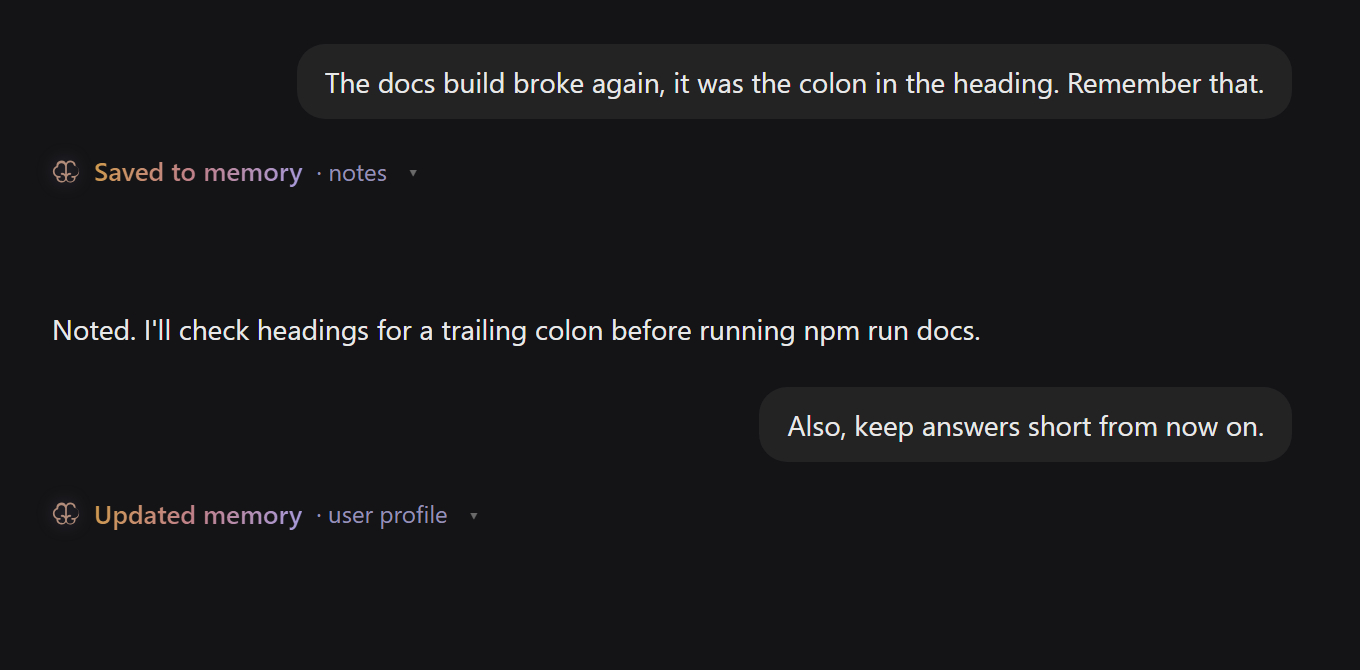
Just talk. The model saves what will matter later, and each save appears in the chat with its own budget:
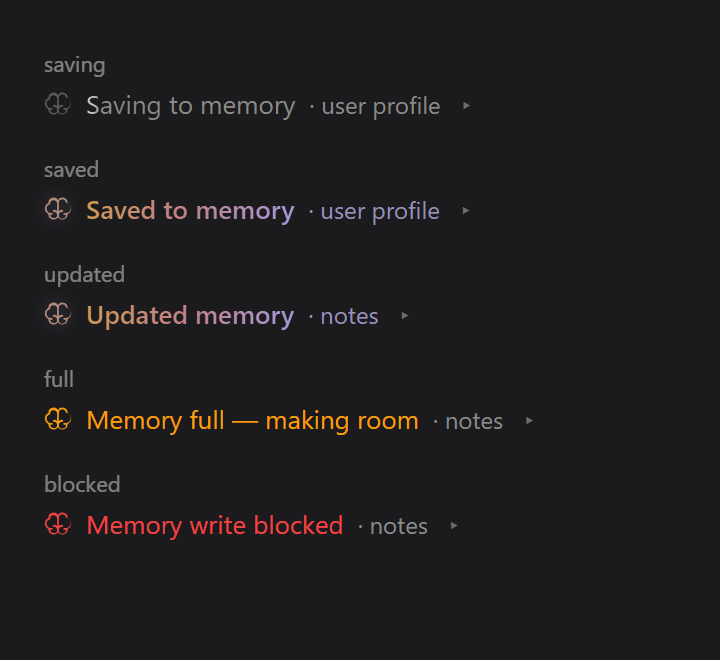
The five states a save can end in — saving, saved, updated, full, and refused by the scan:
The 🧠 button in the message box is lit when this chat has memory, dim when it has none, amber when the memory changed since — click it to see what this chat is running on.
A Memory panel
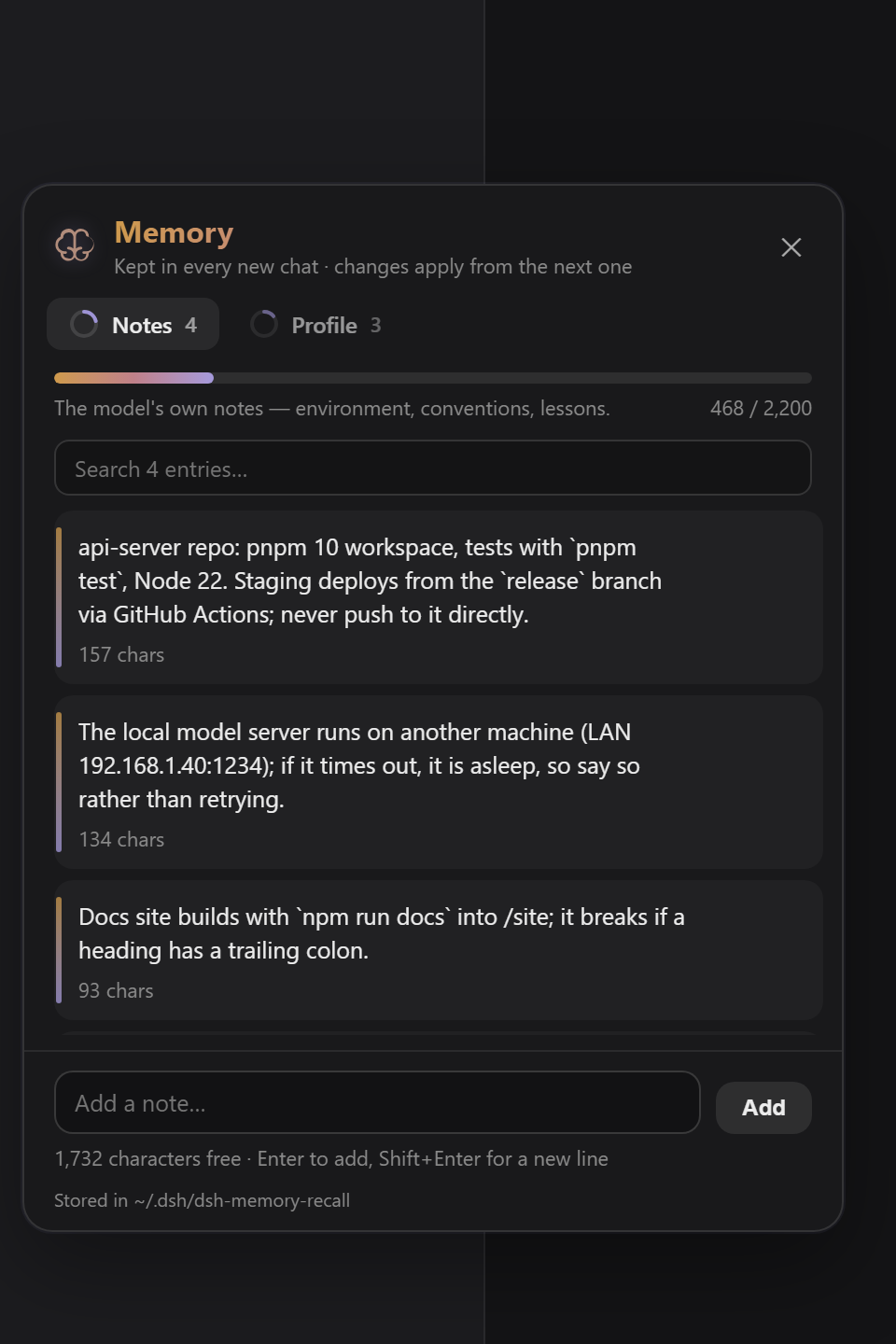
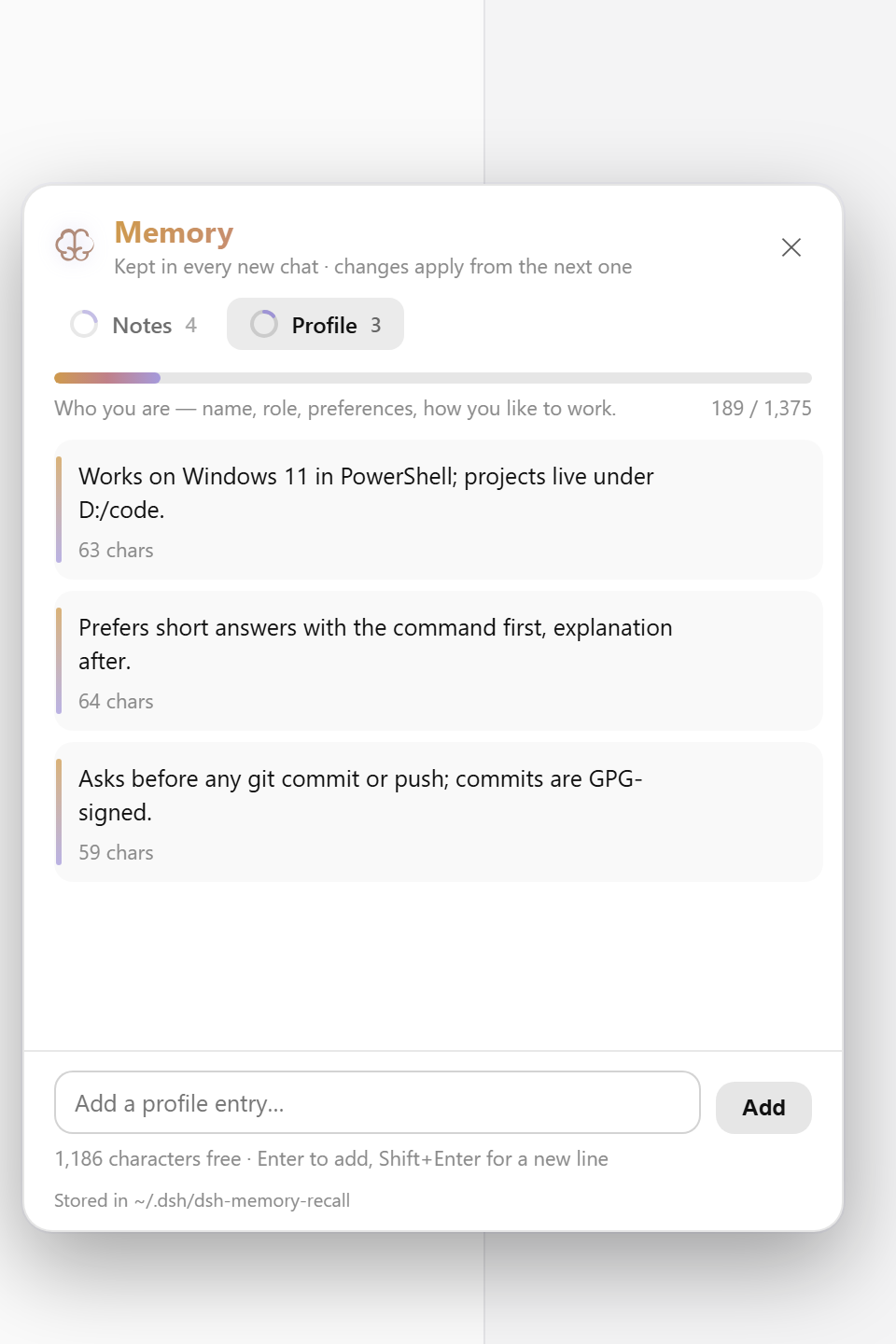
Everything kept, in two tabs — Notes and Profile — each with a ring and a bar showing how much of the budget is used. Edit or delete any entry in place (hover shows the actions), add your own, and search once a tab holds a few. ⚙ Display settings toggle the 🧠 button and the @ rows per browser — and carry the budget sliders: drag the notes and profile character budgets (≈ tokens shown), saved with the memory files and applied from the chat’s next delivery; reset returns to the limits in cordis.patch.yml. With the sidebar collapsed it becomes a single icon, like Settings.
Looking back, with permission
Ask “what did we decide last time?” and the model calls session_search. dsh’s own approval prompt takes over the composer first, saying what it wants to read, with Allow and Deny. The card it returns holds the chats’ actual messages — nothing summarised, nothing invented — each with a date, the matching line and a link to open it:
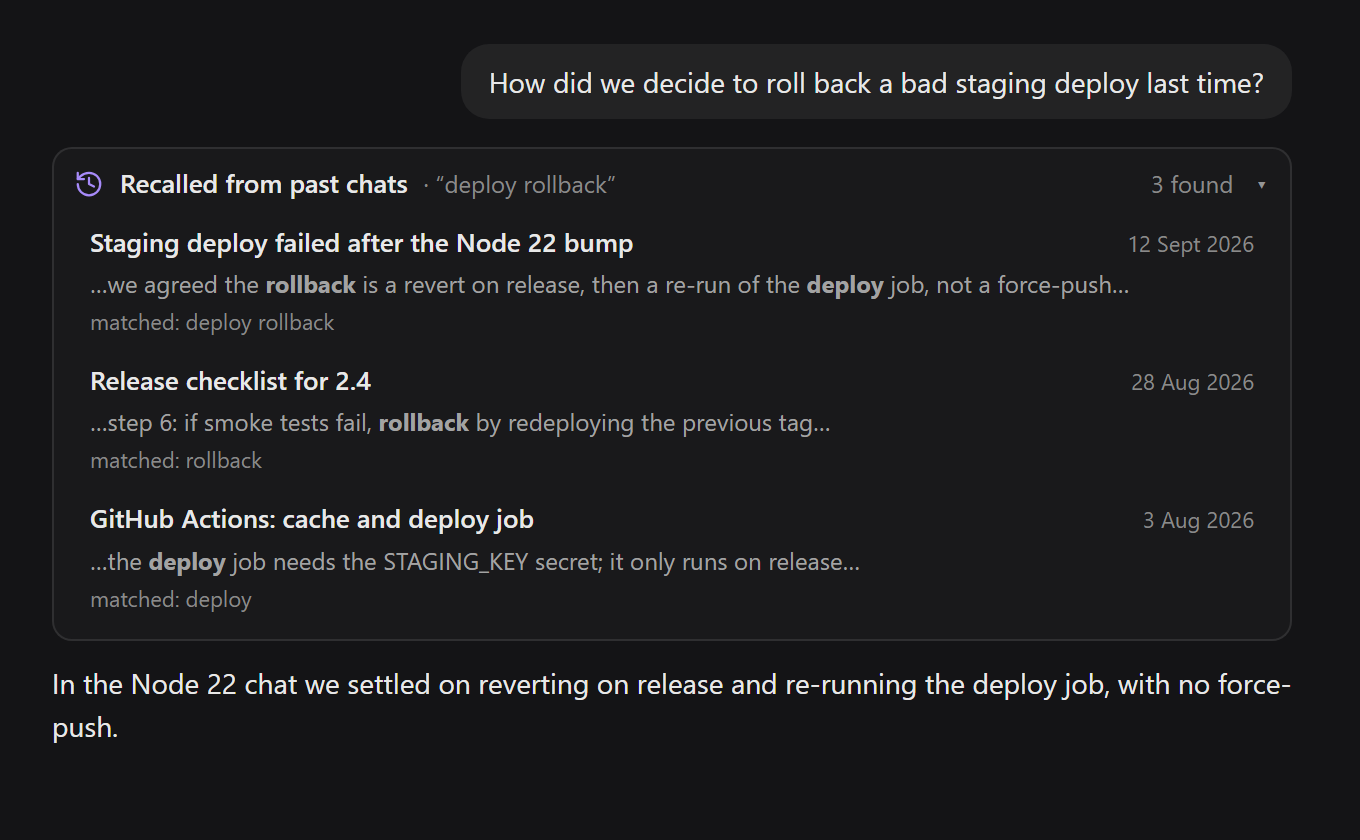
- One Allow covers that reply. The search is usually followed by one close read of the best hit; asking twice per question would be noise. The permission ends when the reply ends, and the next question asks again.
- Deny means nothing is read, and the model is told not to re-ask in that reply.
- Saves never ask — they always show in the chat and can be undone from the panel.
Chats and workspaces in the @ menu
Type @ in the message box. Under dsh’s own files and folders, your chats are grouped by workspace, under their real titles. Picking a chat attaches its read-only snapshot to the message — no search, no prompt, because you chose it. Picking a workspace sends [workspace "Name" — /path], and session_search then searches only that workspace’s chats, still asking first.
Tools
| tool | what it does |
|---|---|
memory |
the two stores — read, add, replace, remove, batch — with the budget checked on the final result |
session_search |
earlier chats behind dsh’s approval prompt: best match, a chat’s messages, or a listing |
Subagent chats get neither — the context message and the tools go to top-level chats only.
Configuration
On the plugin’s row in your profile’s cordis.patch.yml — all optional:
- id: dsh-memory-recall
  config:
    dir: '/path/to/store'     # where USER.md and MEMORY.md live (default ~/.dsh/dsh-memory-recall)
    limits:                   # character budgets (Hermes's defaults); the panel's sliders override them once moved, until reset
      memory: 2200
      user: 1375
    recall: false             # drop session_search, keep memory
    askBeforeRecall: false    # read earlier chats without asking
An override replaces the row’s whole config, so re-write every key you set. Restart dsh after a change.
Privacy
No telemetry, no network. Memory is plain text in ~/.dsh/dsh-memory-recall/ (USER.md, MEMORY.md, and settings.json once a slider moves), entries separated by a § line — Hermes’s format, readable and editable by hand. Writes the model makes are scanned with Hermes Agent’s threat patterns and refused with the reason; manual edits and panel edits are never scanned.
Requirements
- dsh 0.1.5 or later, with a
webprofile — from plugin 0.2.1 also dsh 0.1.7+ and 0.2.x - Node 22+
- No runtime dependencies — the client bundle requires only
react
The design — two bounded stores, a frozen per-chat snapshot, batch-against-final-budget, session_search’s shapes and the threat patterns — comes from Hermes Agent by Nous Research (MIT). The brain icons are Lucide’s (ISC) and Phosphor’s (MIT).
Licensed MIT. Issues and pull requests at github.com/adithyanraj03/dsh-memory-recall.